Try the best Affililiate Links Management WordPress plugin.
Professional affiliate link management for WordPress. Create clean, branded links and boost your affiliate marketing success.
== Installation ==
= Automatic Installation =
1. Log in to your WordPress dashboard
2. Navigate to Plugins > Add New
3. Search for “Affiliate Hub”
4. Click “Install Now” and then “Activate”
= Manual Installation =
1. Download the plugin zip file
2. Upload it via Plugins > Add New > Upload Plugin
3. Activate the plugin through the ‘Plugins’ menu in WordPress
= After Activation =
1. Go to Affiliate Hub in your WordPress admin menu
2. Configure your settings under Settings tab
3. Start creating your first affiliate links!
== Description ==
Affiliate Hub is the ultimate WordPress plugin for managing affiliate links professionally. Transform long, messy affiliate URLs into clean, branded short links that boost click-through rates and earnings.
**Key Features:**
* **Link Cloaking & Shortening** – Convert ugly affiliate URLs into beautiful branded links
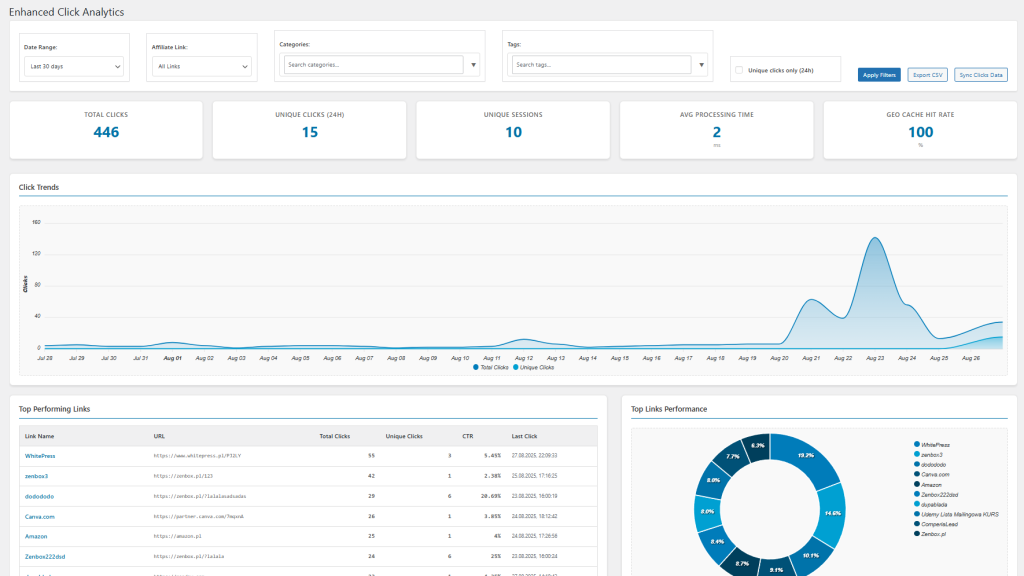
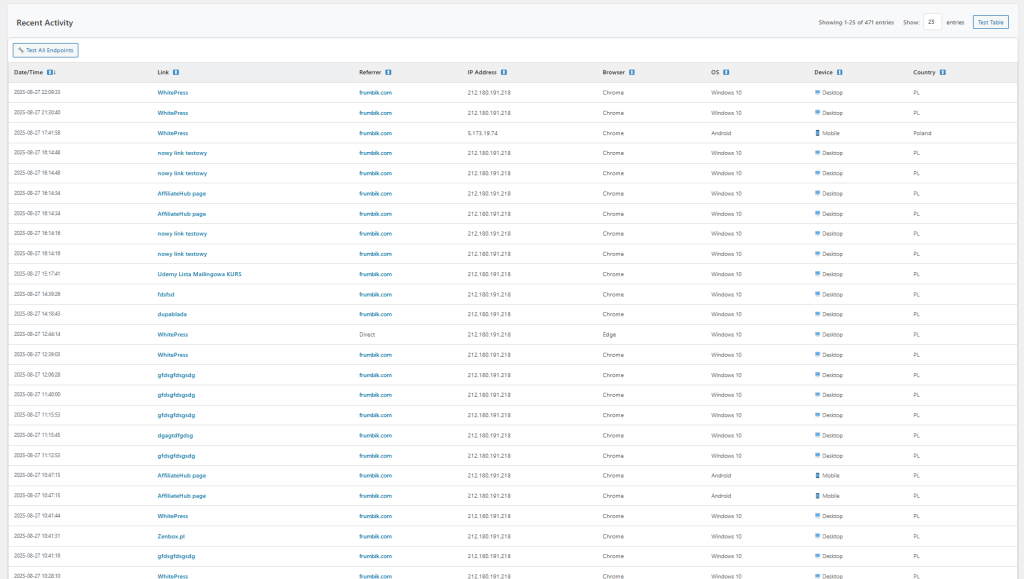
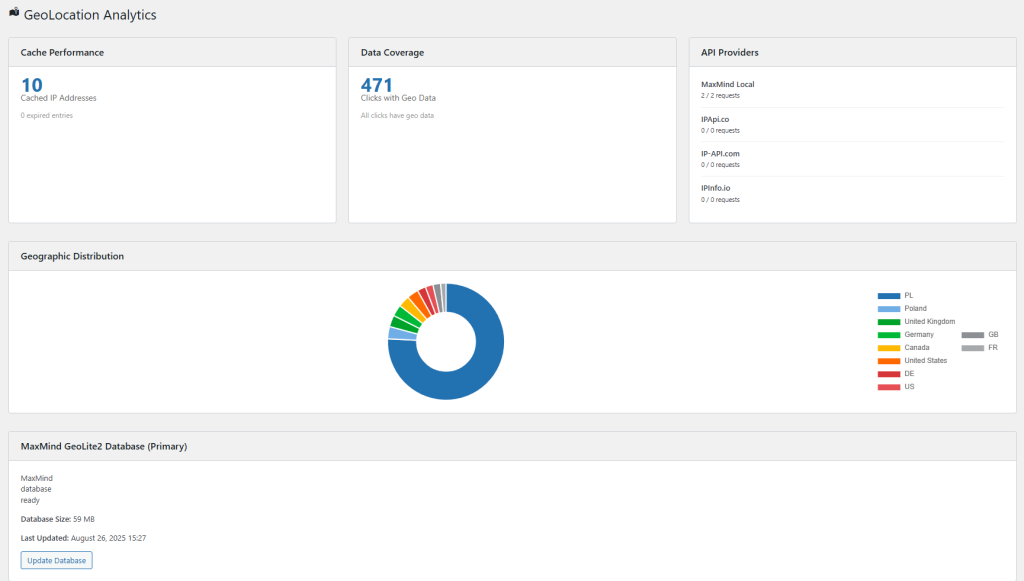
* **Advanced Analytics** – Track clicks, unique visitors, and performance metrics
* **Easy Link Management** – Organize links with categories and tags
* **Editor Integration** – Insert links directly from WordPress editor
* **Shortcode Support** – Use [affiliate-link id=”123″] anywhere in your content
* **Import/Export** – Bulk import links and export analytics data
* **Multilingual Ready** – Supports English, Polish, German, and Spanish
* **Mobile Optimized** – Works perfectly on all devices
* **Link Scanner Module** – Scan your site for broken or redirected affiliate links, get detailed reports, and improve your link health automatically
**Perfect For:**
– Bloggers and content creators
– Affiliate marketers
– Digital product sellers
– E-commerce businesses
– Marketing agencies
Transform messy URLs like `https://partner-site.com/ref?id=12345&campaign=xyz&source=blog` into clean, professional links like `https://yoursite.com/best-hosting`.
## � Installation
1) In WordPress: Plugins → Add New → search “Affiliate Hub” → Install → Activate
2) Or upload the plugin zip in Plugins → Add New → Upload
## 🚀 Quick start
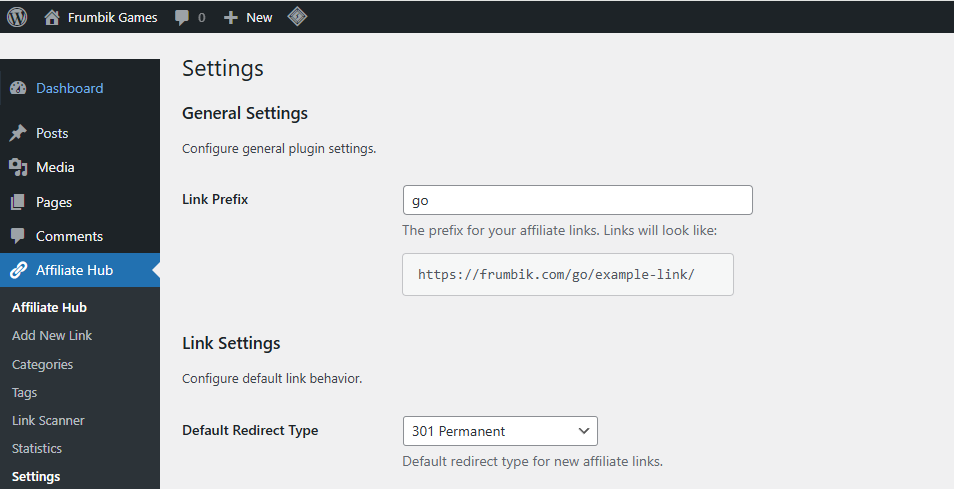
1) Go to Affiliate Hub → Settings and set your link prefix (default: go)
2) Go to Affiliate Hub → Add New
3) Enter the destination URL and a title, then Publish
4) Use the link in content:
– Your short URL: https://yoursite.com/go/your-slug
– Or shortcode: [affiliate_link id=”123″ text=”Buy now”]
== Frequently Asked Questions ==
= How do I create my first affiliate link? =
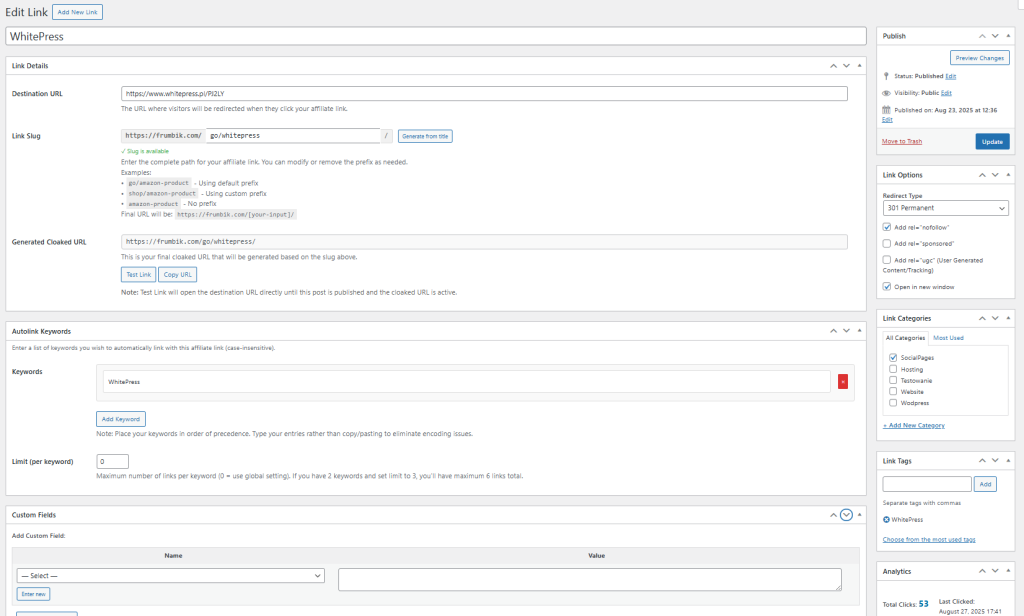
After activation, go to Affiliate Hub > Add New Link. Enter your affiliate URL, choose a custom slug, add categories/tags, and save. Your short link will be automatically generated.
= Can I track link performance? =
Yes! Affiliate Hub provides comprehensive analytics including total clicks, unique visitors, top-performing links, and exportable data in CSV/JSON format.
= Does it work with any affiliate program? =
Absolutely! Affiliate Hub works with any affiliate program including Amazon Associates, ShareASale, Commission Junction, ClickBank, and any custom affiliate links.
= Can I organize my links? =
Yes, you can organize links using categories and tags, making it easy to manage large numbers of affiliate links.
= Is it compatible with page builders? =
Yes, Affiliate Hub works with all major page builders through shortcodes. Use [affiliate-link id=”123″] in any page builder.
= How do I use shortcodes? =
Use `[affiliate-link id=”123″]` to display a link, or `[affiliate-link id=”123″ text=”Custom Link Text”]` for custom anchor text. You can also use slug: `[affiliate-link slug=”best-hosting”]`.
= Is the plugin GDPR compliant? =
Yes, Affiliate Hub is designed with privacy in mind and includes options to help with GDPR compliance.
= Can I import/export links? =
Yes! You can bulk import links from CSV files and export your analytics data for external analysis.
== Screenshots ==
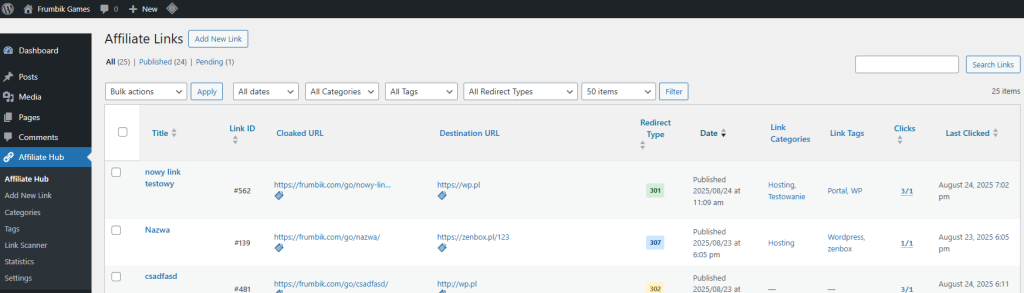
1. Main dashboard showing link overview and statistics
2. Add new affiliate link interface
3. Analytics and tracking dashboard
4. Link management with categories and tags
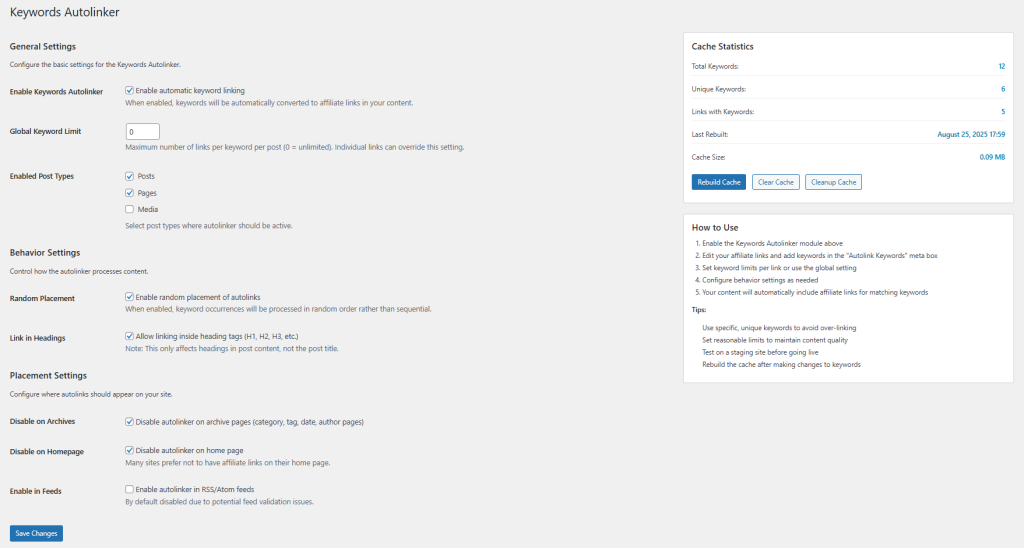
5. Settings and configuration options
6. TinyMCE editor integration
== Changelog ==
= 1.0.0 =
* Initial release
* Link cloaking and shortening functionality
* Click tracking and analytics
* Category and tag organization
* Shortcode support
* TinyMCE editor integration
* Import/Export functionality
* Multilingual support (EN, PL, DE, ES)
* Mobile-responsive interface
* Added Link Scanner module: scan for broken/redirected affiliate links, view reports, and keep your links healthy